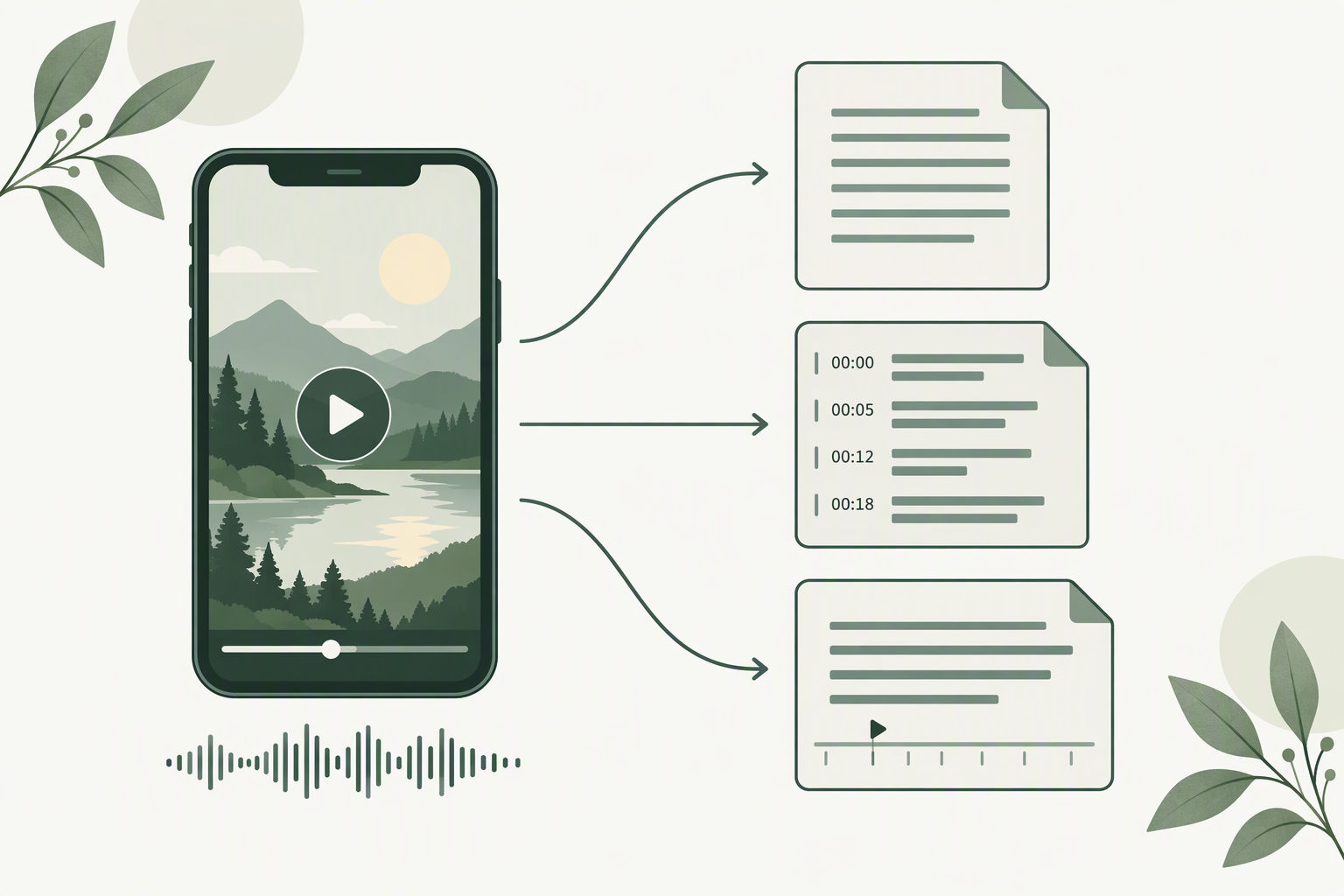
Turning an Instagram video into text is not one result — it is three. Which one you want depends entirely on what you are going to do with the words next.
Updated 8 October 20265 min read
The short answer
Instagram video to text means taking the spoken audio of a public video post or Reel and writing it out as a file you can keep. There is no single correct output. There are three, and you should choose by destination, not by default:
Plain text (TXT) — if you want to read it, quote it, search it, or feed it into another tool. This is what most people actually need.
SRT — if the words are going back onto a video, into a video editor, or onto a platform that expects subtitle files.
VTT — if the words are going onto a web page as captions on an HTML video player.
If you are unsure, take the plain text first. You can always regenerate a timed file later; you cannot easily un-time one you did not need.
One video, three different text files. The shape of the file is the decision.
Three outputs, not one
The phrase "video to text" hides a fork in the road. A transcript tool is really producing one of three file shapes, and they are not interchangeable:
A plain text file is just the words, in order, in paragraphs or lines. It has no timing information at all. It is the most portable thing you can make — every notes app, every document editor, every AI tool on earth can read it.
An SRT file is the same words broken into short cues, each cue carrying a start and end time. It is the oldest and most widely accepted subtitle format. Video editors, most social platforms, and nearly every captioning tool will import one without complaint.
A VTT file is the web-native sibling of SRT. It does the same job — cues with start and end times — but it is designed for the HTML video element, which is why web players prefer it.
Notice what is not on that list: there is no "best" format. There is only a format that fits where the text is going. A perfect SRT is useless to someone who just wants to quote a line in an email, and a clean TXT is useless to someone building subtitles.
Watched rather than read? The same argument, in about a minute and a half.
How to choose, by destination
Work backwards from where the words end up. In practice almost every case falls into one of these five:
Notes, quotes, or a summary. Take plain text. You are going to read it, edit it, or paste it somewhere — none of that needs a clock.
Subtitle a re-upload or a cut. Take SRT. Editors expect it, and its timings are the ones caption workflows are built around.
Captions on your own web page. Take VTT. It is the format a browser's video element looks for, and SRT often needs a conversion step before a web player will accept it.
Feed it to a summariser, translator, or search index. Take plain text. Timed files carry extra tokens that add noise and no meaning to a downstream text tool.
You genuinely do not know yet. Take plain text and keep the link. Re-running the same video for a timed export later costs one more pass, which is far cheaper than cleaning timing data out of something that never needed it.
The single most common mistake here is grabbing a subtitle file when the goal was reading. People then open the file, see rows of timecodes interrupting every line, and conclude the transcript is broken. It is not broken — it is a different product.
What timestamps are actually for
Timestamps get treated as a quality upgrade. They are not. They are a second kind of information, and they are only useful for three jobs:
Jumping back into the video. A timed line tells you where in the clip a sentence lives. If you are working through a long video and need to find the moment something was said, this is the whole point.
Building subtitles. Cue start and end times are what a subtitle file is. Without them you have a script, not captions.
Aligning text to audio. If you are placing captions on a timeline, you need the times to sit the words on the right frames.
For anything else — reading, quoting, summarising, searching — timestamps are clutter. And there is a trap worth naming: transcript timestamps are approximations, not frame-accurate cuts. They mark when a phrase was detected in the audio, which is usually close but rarely perfect to the frame. If you need broadcast-precise captions, plan to nudge them in an editor. Do not assume the export is exact.
A worked example: the same 42-second clip, three ways
Here is the shape of the decision on a concrete case — an illustrative walk-through, not a measurement of any particular tool. Picture a single public video post, about 42 seconds long, one person speaking to camera, no music bed.
As plain text, you get roughly a paragraph and a half — on the order of a hundred words — as continuous lines. Paste it into a document and it reads like a short statement. Nothing else is in the file.
As SRT, the same words arrive chopped into cues, each a line or two long, each with a start and end time. A 42-second clip typically lands somewhere around eight to twelve cues, depending on how the speech pauses. The words are identical to the plain text; the file is three or four times longer because of the timing scaffolding.
As VTT, you get the same cue structure with a small header block at the top. To a human reading it, it looks almost like the SRT. To a browser, it is a different, more welcome thing.
Two practical lessons fall out of this example. First, the number of cues is driven by pauses, not by length alone — a fast talker with no pauses gets fewer, longer cues than a slow talker of the same duration. Second, subtitle files are constrained by readability, not just by speech. Subtitle convention keeps lines short and caps a cue at a couple of lines, because a viewer has only a moment to read each one. If you are writing your own captions, aim for roughly 42 characters per line and no more than two lines per cue — that is the rule of thumb the readable captions you have seen all follow. Break it and you get captions that flash past faster than anyone can read them.
What video to text will not do
Three honest limits, so you do not chase something the format cannot give you:
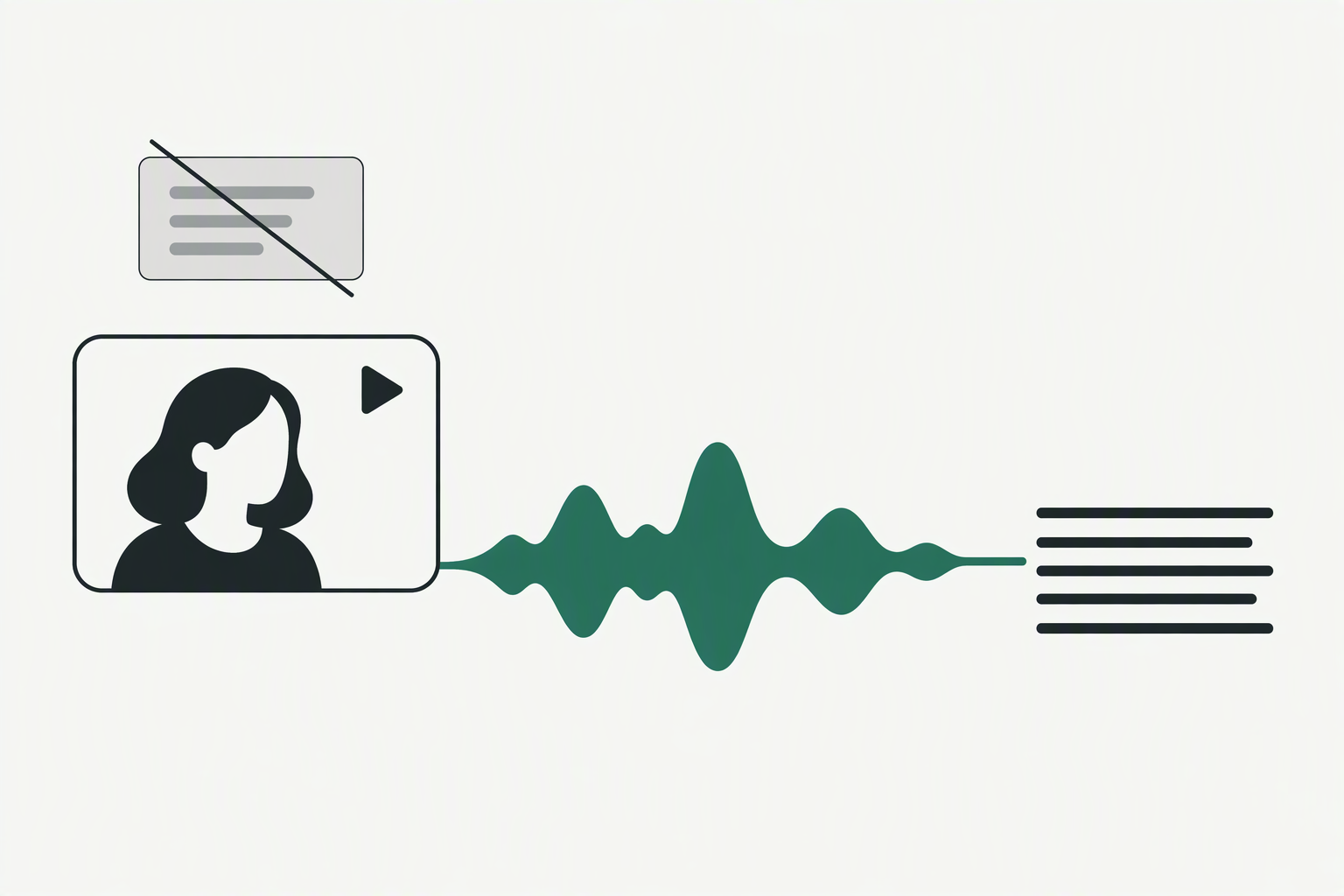
It will not read text that was only shown, never spoken. On-screen titles, stickers, and typed-over words are pixels, not audio. A speech-to-text pass cannot see them, so they will not be in any of the three outputs.
It will not translate. The text comes out in the language that was spoken. Turning it into another language is a separate step you run afterwards, on the text.
It will not touch a video it cannot open. If the link asks you to sign in, the audio is not publicly reachable and there is nothing to convert. This applies to private accounts and follower-only posts, and it is not a shortcoming of any tool — it is what private means.
Text comes from the audio. Words that only ever appeared on screen are not a source.
Frequently asked questions
What does "Instagram video to text" actually produce?
A written copy of the spoken words from a public video. Depending on what you ask for, that is a plain text file, an SRT subtitle file, or a VTT caption file.
Should I choose TXT, SRT, or VTT?
Choose by destination. Reading, quoting, or summarising: TXT. Putting subtitles back on a video: SRT. Captions on a web page: VTT.
Do I need timestamps?
Only if you are making subtitles, jumping back into specific moments, or aligning text to a timeline. For reading and quoting they are clutter.
Are the timestamps exact?
No. They mark when speech was detected in the audio, which is close but not frame-accurate. For precise captions, plan to fine-tune them in an editor.
Can I convert an SRT to a plain text file later?
Yes — stripping timecodes is easy. Going the other way, from plain text to a timed file, means running the audio again. That is why starting with plain text is the safe default.
Does it work on a private video?
No. If the link requires a sign-in to open, its audio is not publicly reachable, so there is nothing to convert.
Will it capture text that appears on screen but is never spoken?
No. Speech-to-text works from audio only. Words that exist solely as on-screen pixels are invisible to it.
Can I turn a video into text in another language?
You get the text in the spoken language. Translate it afterwards as a separate step on the text you already have.
Try it
If you have a public video post or Reel in mind, you can turn it into text on the main page — paste the link, decide whether you want timestamps, and download TXT, SRT, or VTT depending on where the words are going next.